

Get Started
This section guides you through ingesting a PX4 ULog file.
Create a dataset
Create a new dataset by clicking on the + icon in the top navigation bar.
Once created, you will be taken to the dataset. Upload a ULog file by dragging it into the dataset.
Ingest log
After uploading a log, Roboto will automatically trigger the ingestion process. A blue spinner next to the Actions tab indicates that ingestion is in progress. This may take a few seconds to appear if Roboto is under heavy load.
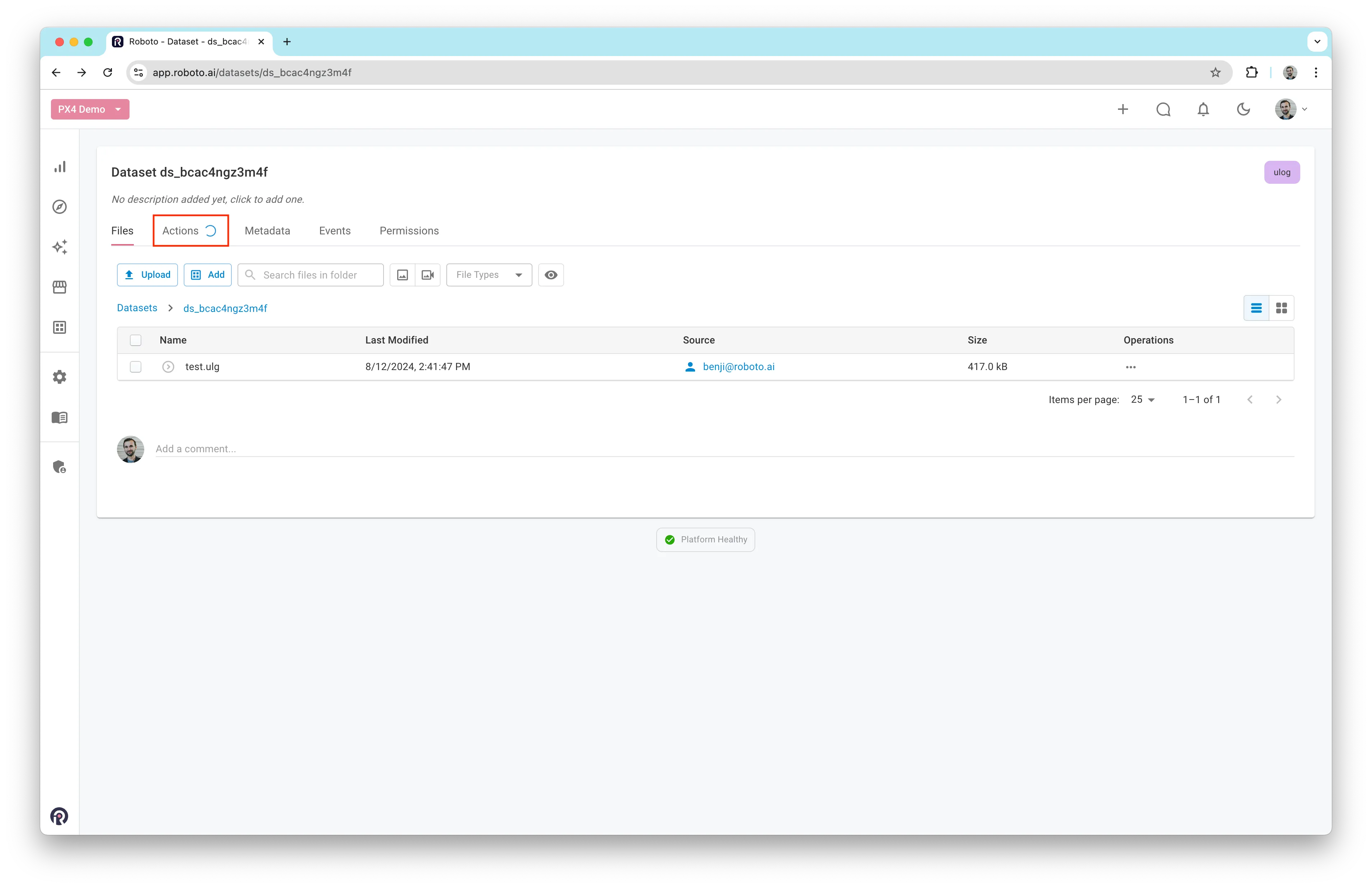
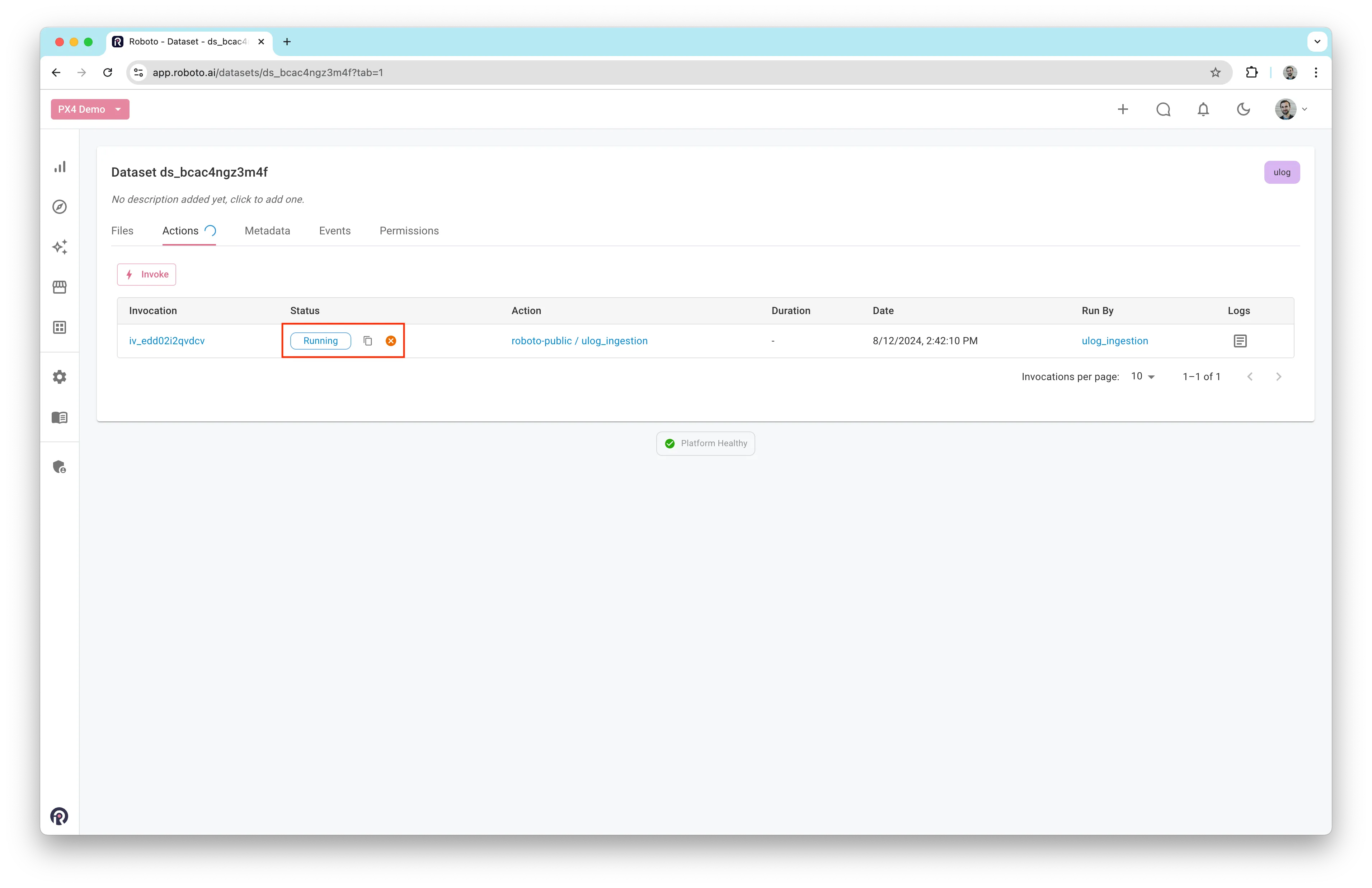
To monitor the process, click on the Actions tab.
View topics, tags and metadata
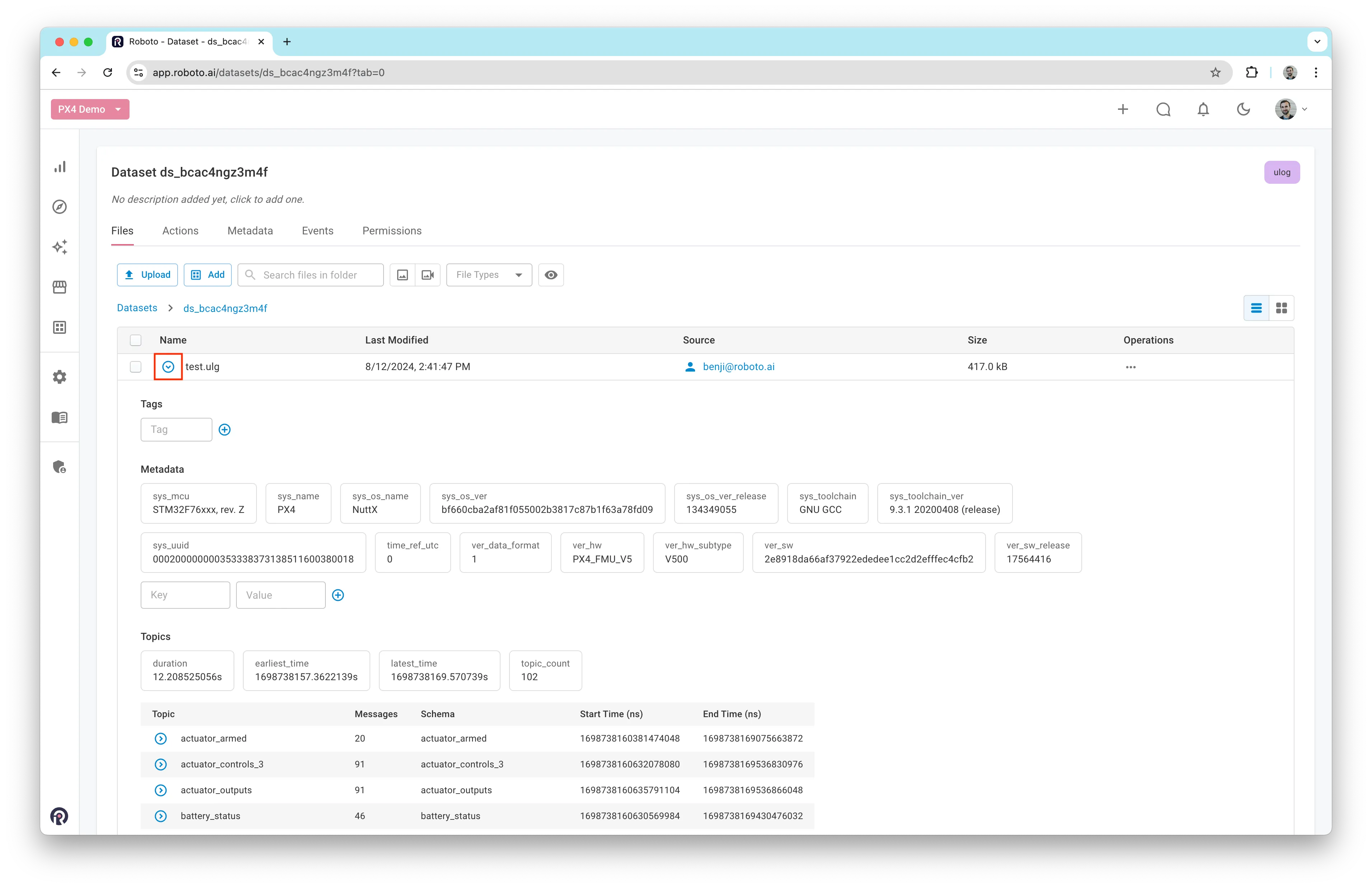
After the ingestion process is complete, you can view the metadata, tags, and topics for the log by clicking on the blue chevron next to the file name. Additionally, tags and metadata can be manually added if needed.
Read the next section to learn how to visualize log data in Roboto.